

Step 1: pick a mode
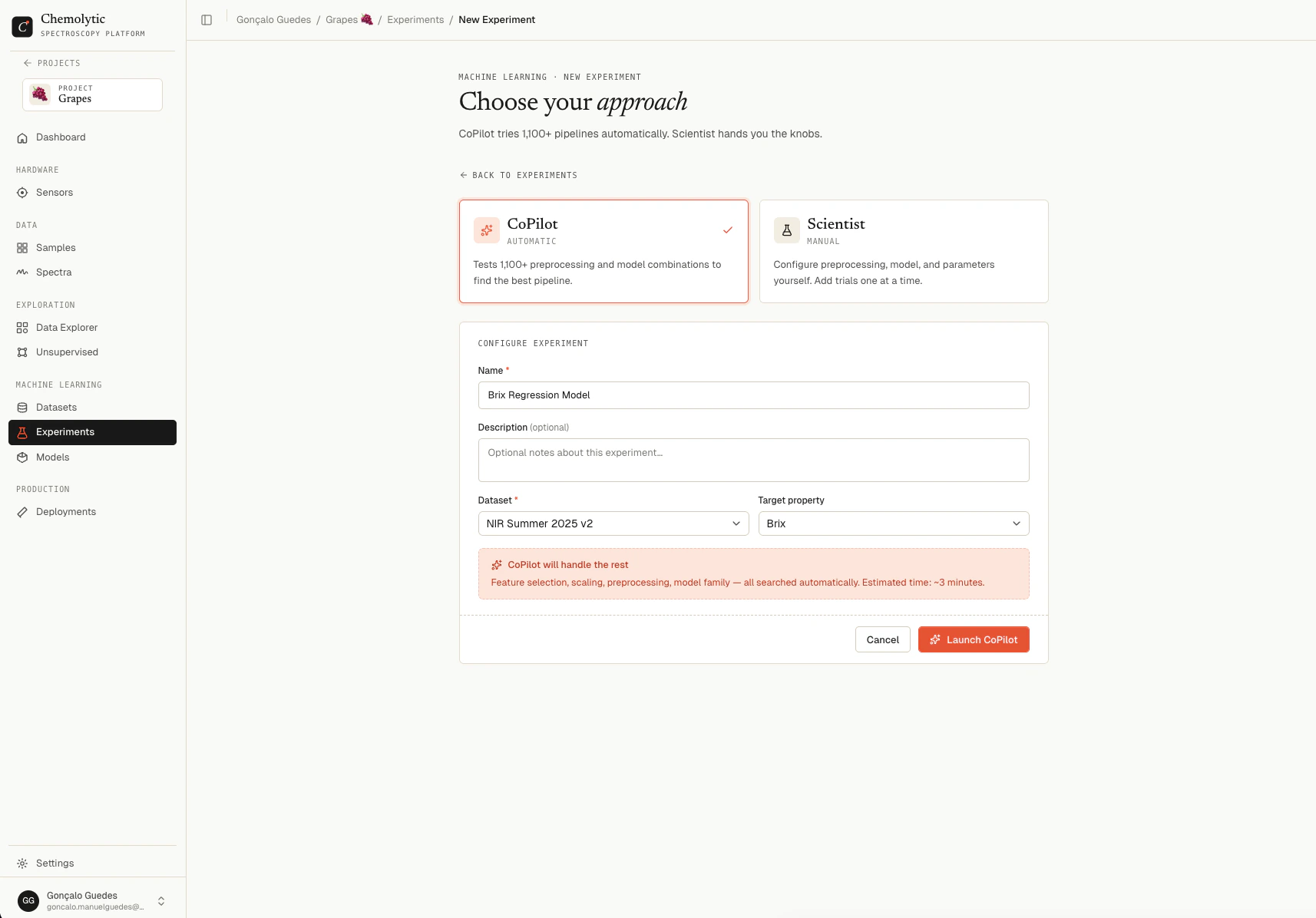
The first decision is CoPilot or Scientist. Two cards at the top of the form.CoPilot
For when you want a working model fast and you don’t need to tweak the recipe yourself.- Tests 1000-3000 preprocessing + model combinations
- Uses Bayesian optimization to find the best one quickly
- Returns one best trial plus a leaderboard
- Estimated time: about 15-20 minutes for typical datasets
Scientist
For when you want full control.- You add jobs one at a time
- Each job is either a single trial (exact params) or a tuning job (search a parameter space)
- The experiment stays “active” indefinitely so you can keep adding jobs
- Uses your monthly Scientist jobs quota, not the CoPilot quota
Step 2: fill in the form
After picking a mode, the rest of the form appears.
The target property dropdown only fills in after you’ve picked a dataset, since the available properties depend on the dataset’s snapshot.
Target properties with all NaN values in the dataset are hidden. If a property you expected isn’t in the list, your samples don’t have values for it, or those values aren’t in the dataset’s snapshot.
Step 3: launch
Click the launch button at the bottom. The label changes based on mode:
You’re redirected to the experiment’s detail page. For CoPilot, training starts in the background and the page polls for live updates.
Validation errors
Dataset {id} not found in this project
Dataset {id} not found in this project
The selected dataset is no longer available (it may have been deleted or archived). Refresh the page and pick another.
Property '{name}' not found in dataset
Property '{name}' not found in dataset
The dataset does not include this property. Check the dataset’s Properties tab to see what’s available, or create a new dataset that includes the property you need.
Quota exceeded
Quota exceeded
You’ve reached your monthly CoPilot or Scientist limit. Wait for the quota to reset (top of the Experiments page shows when), or upgrade your plan.
Insufficient permissions
Insufficient permissions
You need Contributor role or higher on the project to create experiments.