

Concept
When you click Register Model on a successful trial, three things happen:- The trial’s pipeline (preprocessing + algorithm + hyperparameters) is captured
- The model is refit on the full training set (no CV split) for production-quality predictions
- A version is created, pinned to the dataset that was used for training
Models page
Go to Models in the project sidebar.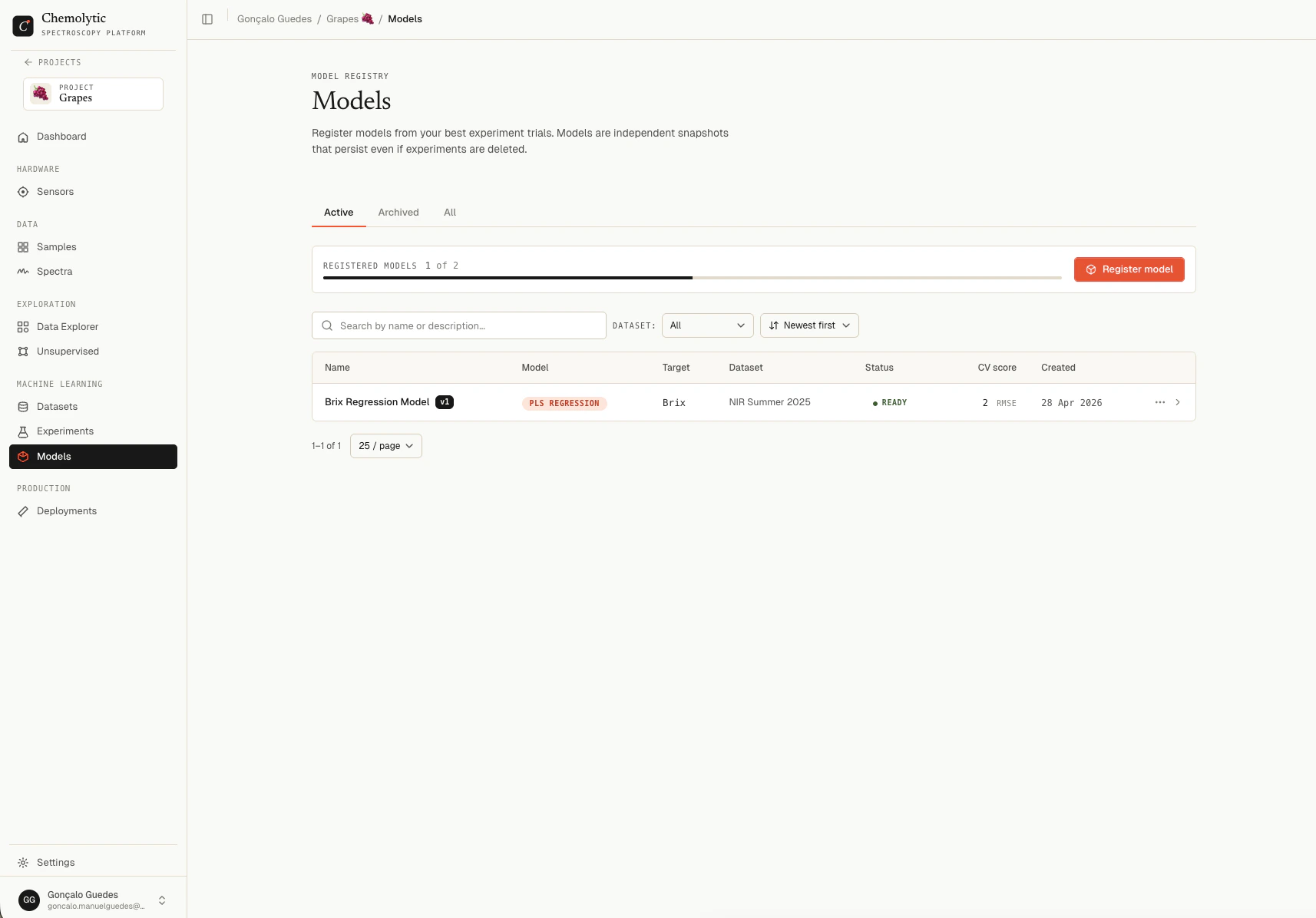
Tabs
The page polls every 3 seconds while any model has status Building so progress updates live.
Status flow
Building usually takes 10 seconds to a few minutes depending on dataset size and algorithm.
Model detail
Click any model in the list to open its detail page.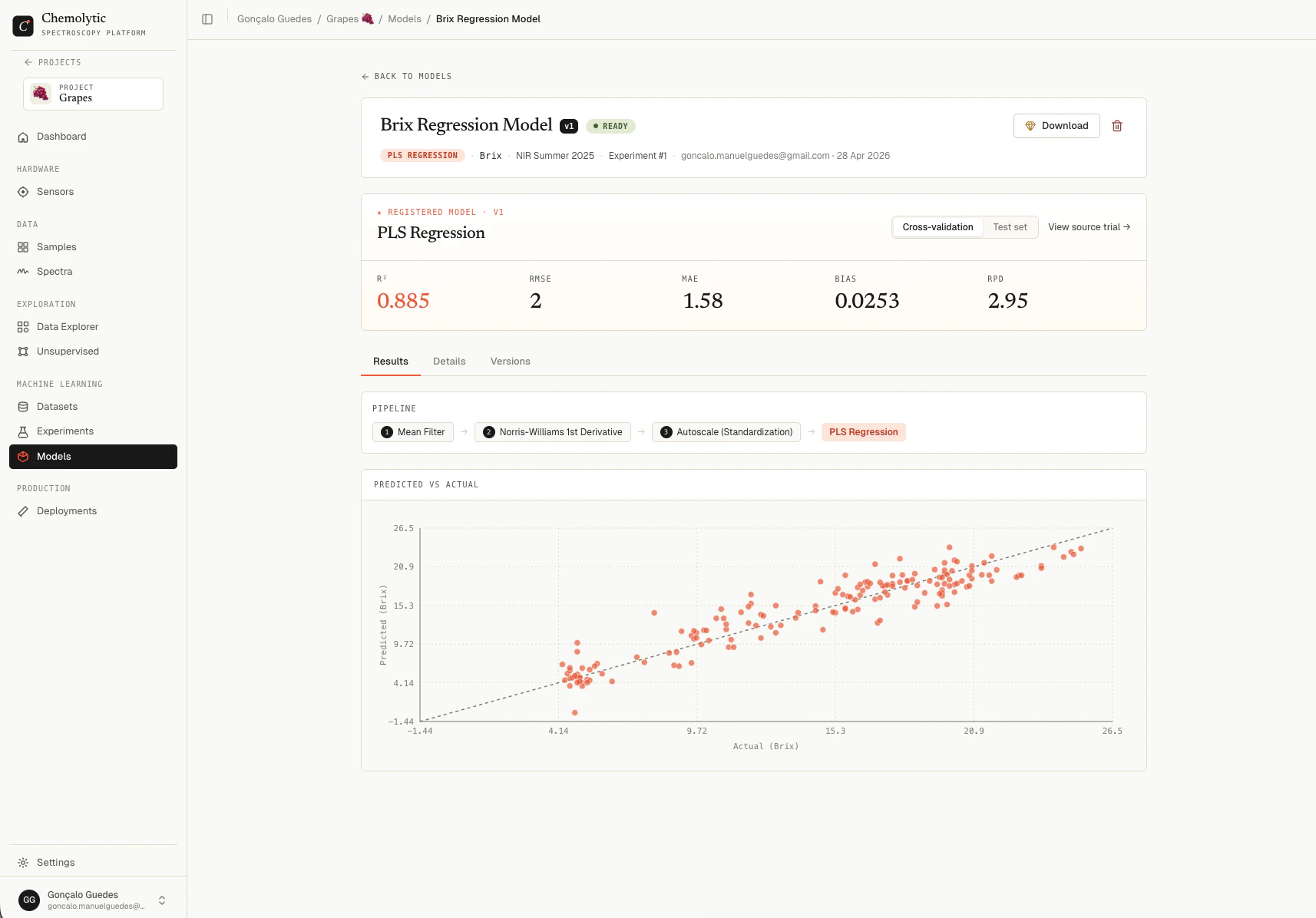
Header
Shows the model name, version badge, status, description, and metadata: algorithm, target property, source dataset, and source experiment/trial (clickable links to the original).Performance hero
A metric grid showing the model’s performance, with a CV/Test toggle. The metrics shown are the same as in the trial detail (R², RMSE, MAE, Bias, RPD for regression; Accuracy, F1, Precision, Recall for classification). See Trial results for how to read each. These numbers come from the original trial’s CV and test split, not from the refit. The refit just trains on more data; the metrics reported here represent how the model is expected to perform on new spectra.Tabs
Downloading a model
If your plan allows it, click Download to get a.joblib file containing the trained model.
Model download requires the
allow_model_download plan feature. If your plan doesn’t include it, the Download button shows a gem icon and clicking it opens an upgrade dialog instead.{model_name}_v{version}.joblib and contains the full trained scikit-learn pipeline. You can load it with:
- Offline predictions in air-gapped environments
- Integrating into custom Python workflows
- Auditing the model architecture
A dedicated Python SDK is planned. It will package the model with full metadata (sensor, dataset version, expected x-axis, target property, units) so you don’t have to track these separately. For now, the raw
.joblib file contains only the fitted scikit-learn pipeline.Lineage and reproducibility
Every registered model includes:- A link to the source experiment (or “Deleted” if removed)
- A link to the source trial (or “Deleted” if removed)
- The pinned dataset it was trained on (immutable)
- The exact pipeline and hyperparameters
Editing a model
You can rename a model and update its description from the detail page. The pipeline, dataset, and metrics are immutable.Deleting a model
Click the trash icon on the detail page, confirm in the dialog, and the model and its artifacts are permanently removed.Plan limits
Your plan limits how many registered models you can have per project (max_registered_models). The current count and limit appear at the top of the Models page.