

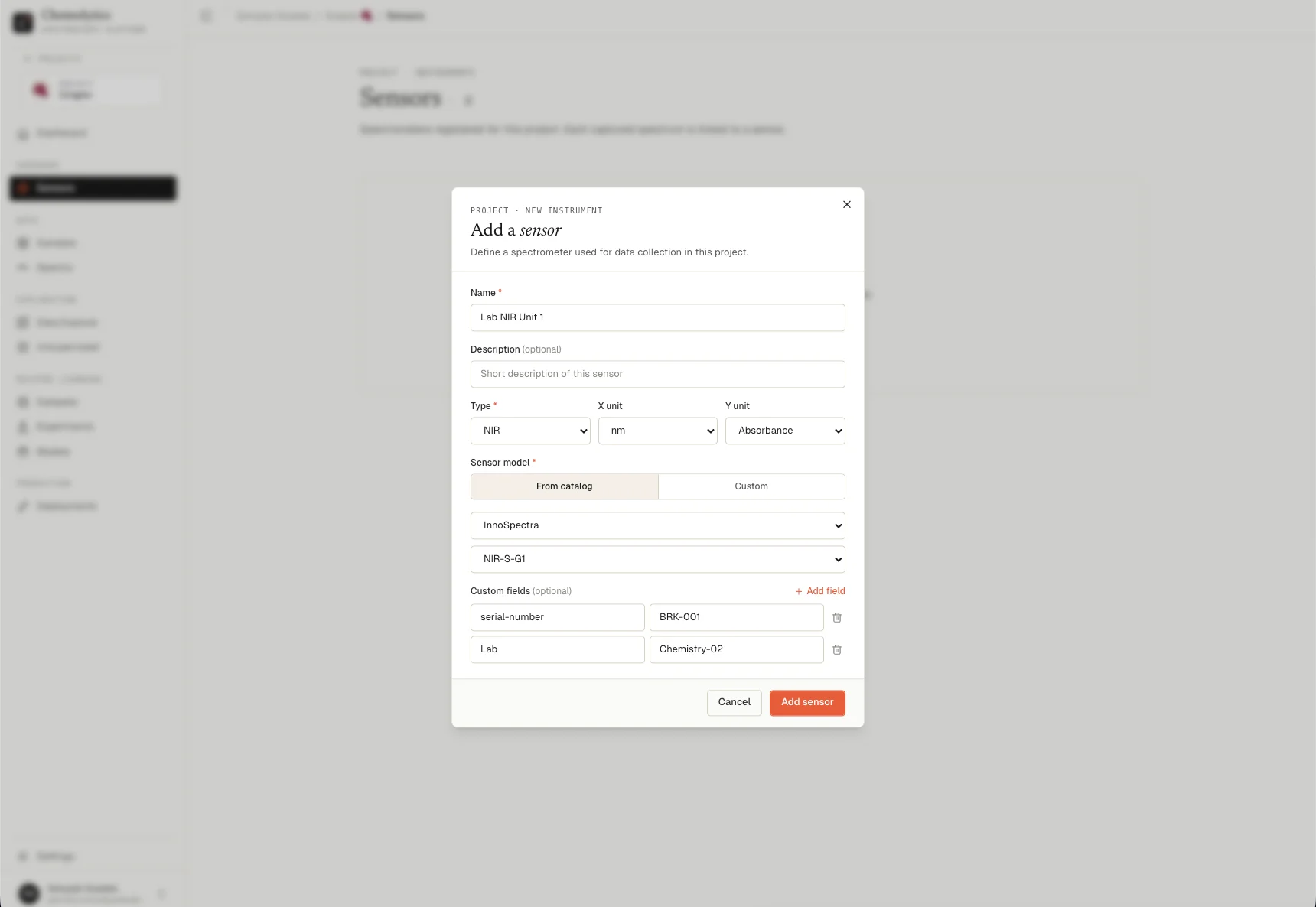
Fields
Name
A label for this specific instrument in your lab. Use something that identifies it uniquely among your equipment (e.g., “Lab FTIR Unit A”, “Warehouse NIR #2”). Required.Description
Optional notes: room location, setup configuration, who manages it. Shown in the sensor list as a subtitle.Type
The spectroscopy technique used by this instrument.X unit
The unit used for the wavelength/wavenumber axis of your spectra.Y unit
The unit used for the intensity axis of your spectra.Catalog vs. custom
From catalog
Catalog sensors have a built-in importer. When you upload spectra, Chemolytic knows the raw file format produced by that instrument and parses it automatically. No manual formatting needed. Select your manufacturer first, then select your model from the filtered list. Type, units, and other fields are pre-filled.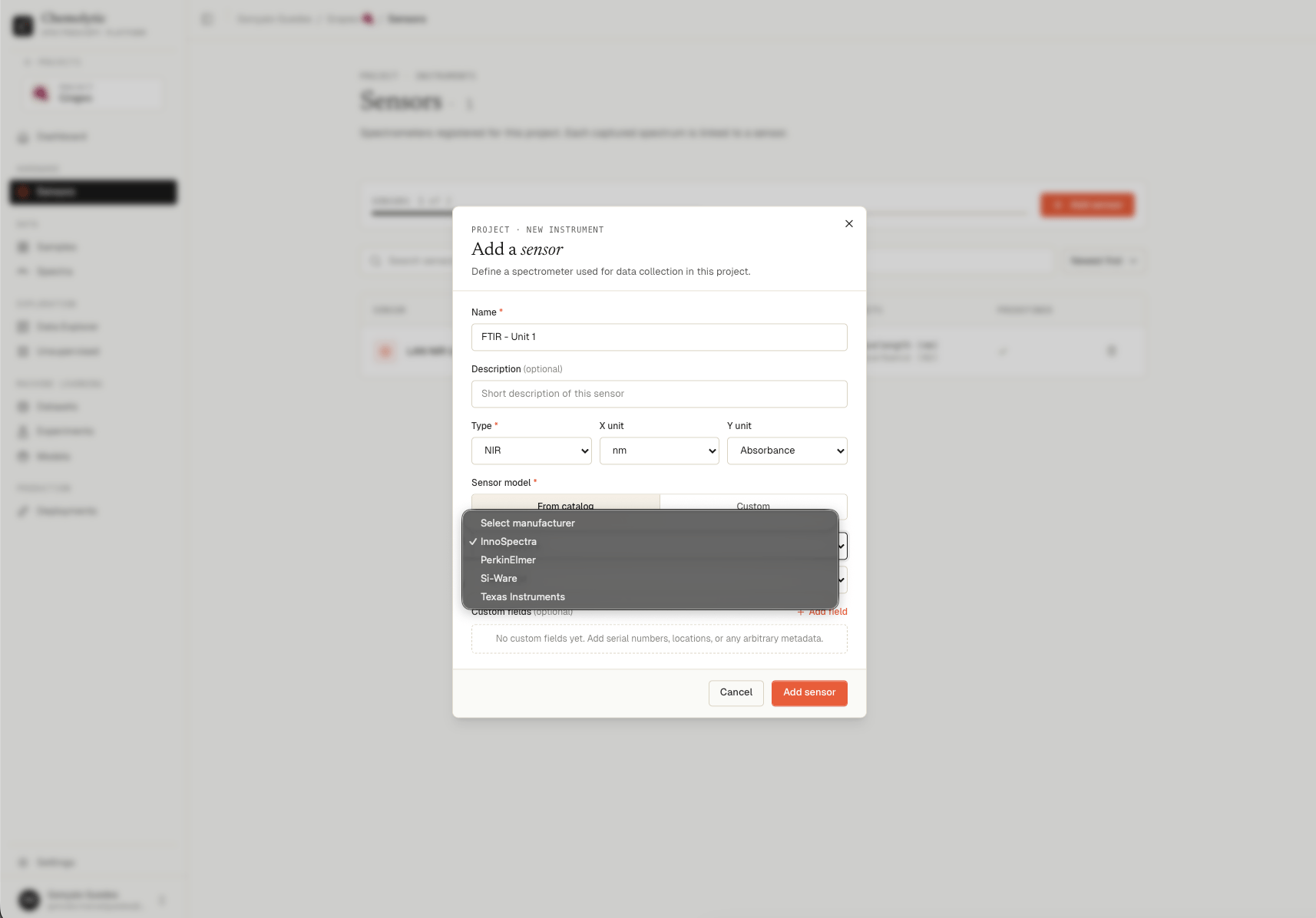
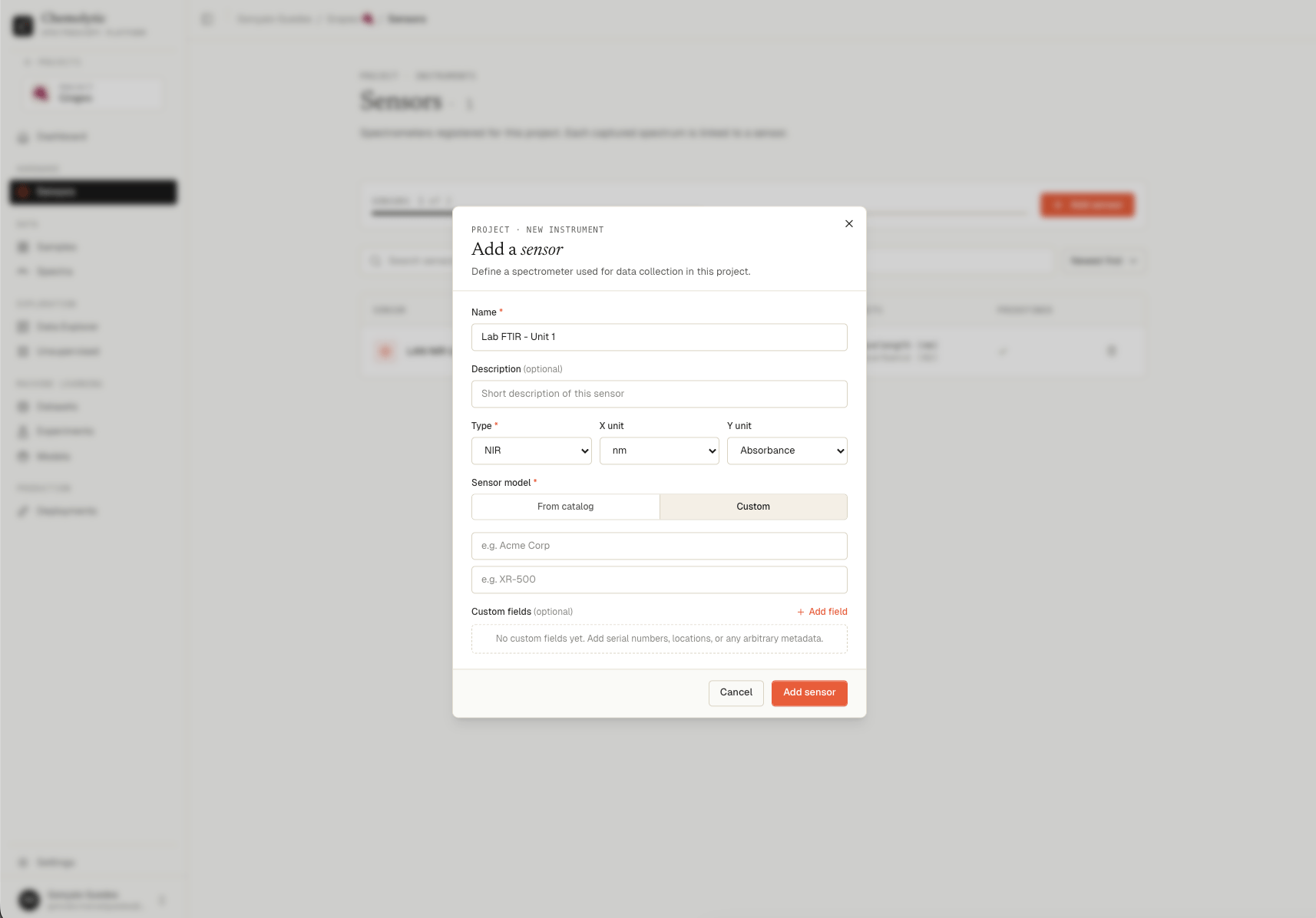
Custom
Custom sensors do not have a built-in importer. To upload spectra for a custom sensor, your files must follow the Chemolytic standard CSV format. See Uploading spectra for the required format. Switch to Custom and enter:- Manufacturer: the company that made the instrument (e.g., “Acme Corp”)
- Model: the instrument model name (e.g., “XR-500”)
If your sensor is not in the catalog, contact us at support@chemolytic.com with the manufacturer name, model, and a few raw file examples from the instrument. We’ll add a dedicated importer as quickly as possible.
Custom fields
You can attach arbitrary metadata to a sensor as key-value pairs. Click + Add field to add one. Common uses:
Custom fields are visible in the sensor detail panel and are for your reference only. They do not affect data processing.