

Why datasets are immutable
Reproducibility is the reason. A model is only meaningful if you know exactly what data it was trained on. If datasets could change after creation:- Re-running an experiment could produce different results without explanation
- Comparing two models trained “on the same dataset” would be unreliable
- Auditing a deployed model’s training data would be impossible
What a dataset contains
When you create a dataset, Chemolytic captures:- All active spectra for the chosen sensor (archived spectra are excluded)
- The samples linked to those spectra
- The property values for those samples
- A manifest: a table mapping every spectrum to its sample and property values
- The sensor metadata (name, model, units, x-axis range, calibration)
- Property statistics (mean, std, min, max for continuous; category counts for categorical)
.npz) plus a manifest in the database.
Datasets are tied to one sensor. To train a model that works across multiple sensors, you currently need separate datasets and separate models. Cross-sensor modelling is on our roadmap.
Datasets page
Go to Datasets in the project sidebar to see all datasets in the project.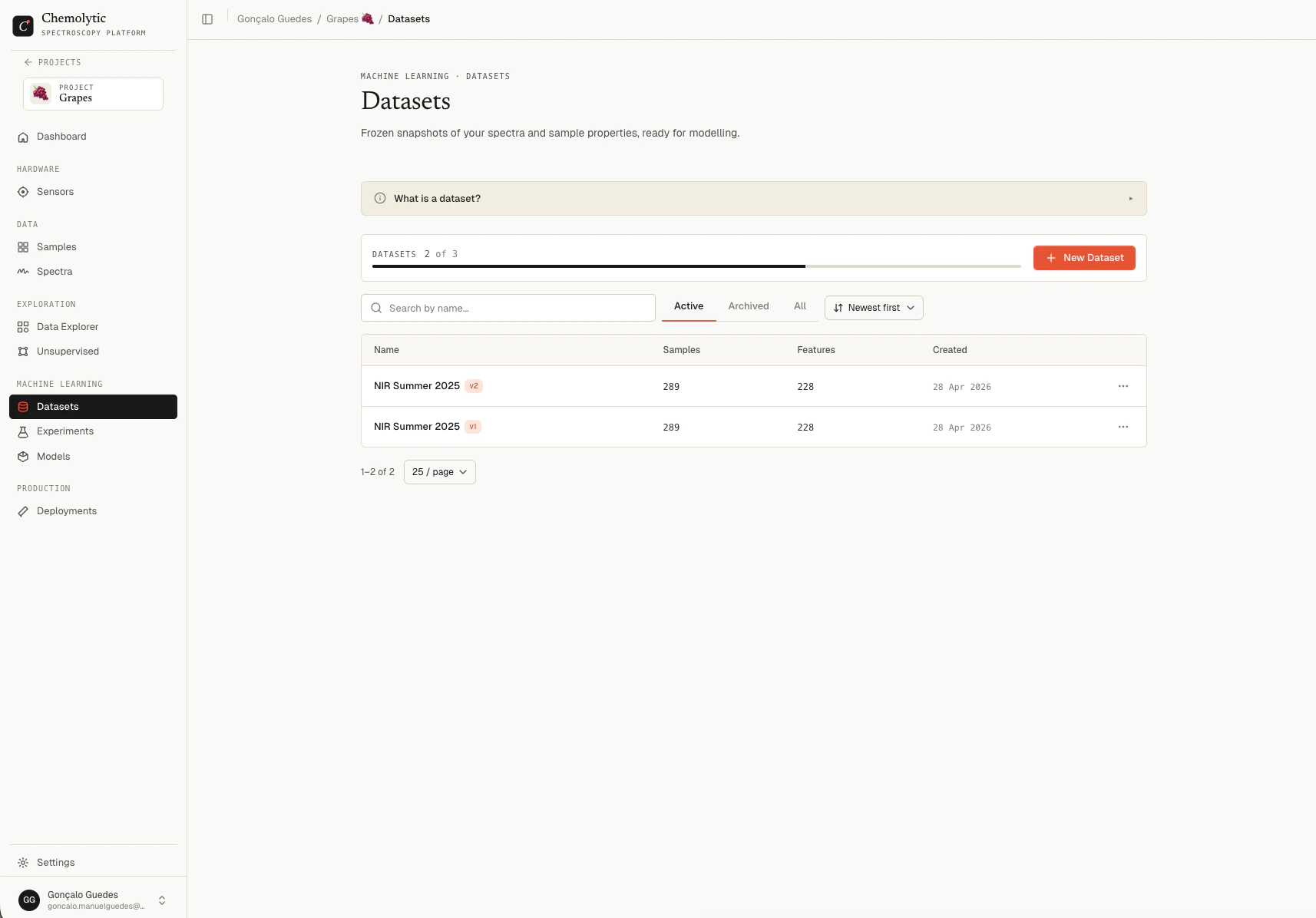
Status tabs
Use Search to filter by name. The plan’s
max_datasets limit is shown at the top.
Active vs. archived datasets
Archive a dataset to remove it from the active workspace without deleting it:- Archived datasets do not appear in the experiment creation dialog
- Archived datasets still count toward your plan’s dataset limit
- Models trained on an archived dataset still work (the model has its own copy of what it needs)
- You can unarchive at any time from the Archived tab
When to create a new dataset vs. a new version
See Dataset versions for how versioning works.
What’s next
- Creating a dataset for the create flow
- Dataset detail for inspecting a dataset
- Dataset versions for the versioning workflow