

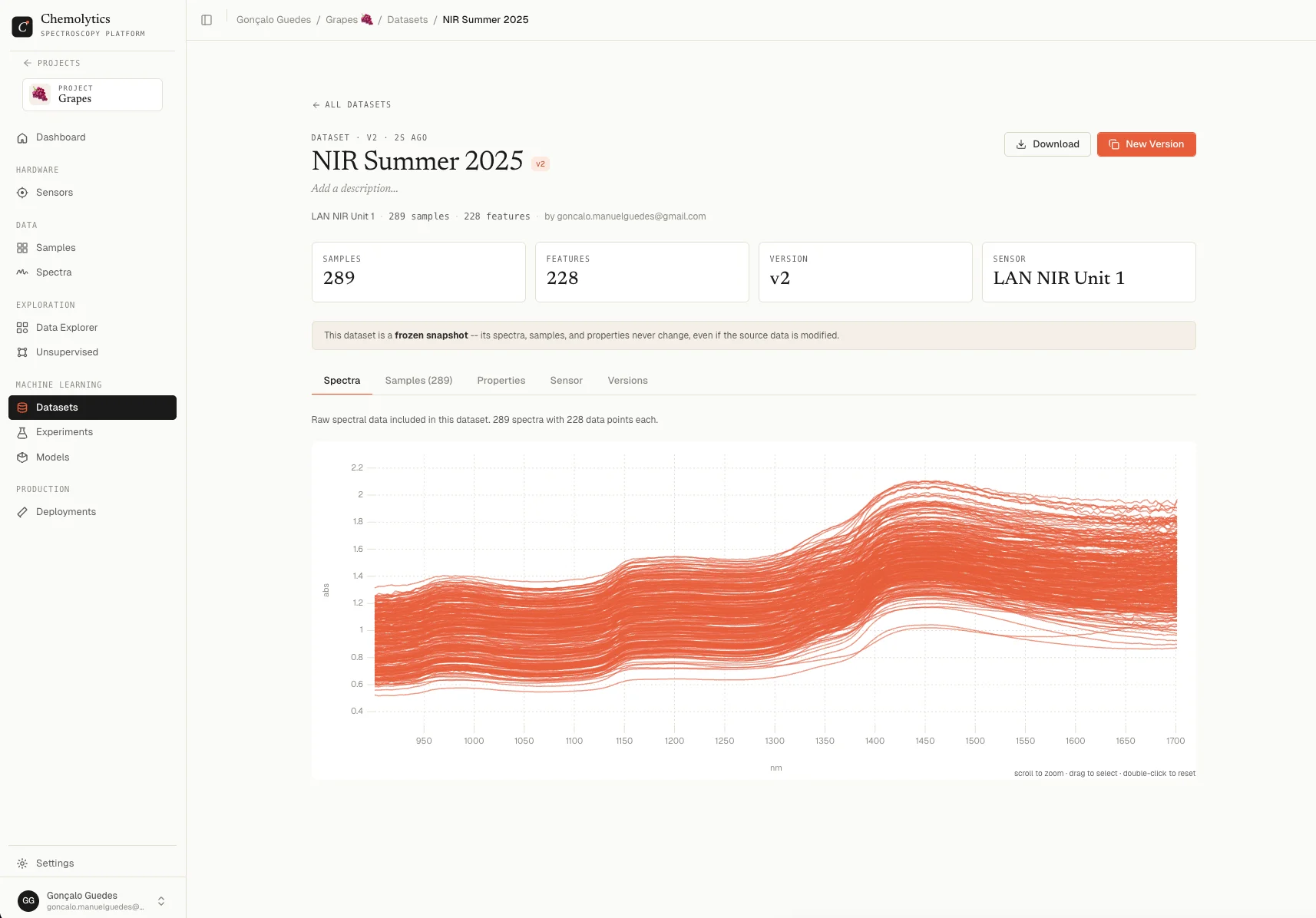
Header
The header shows:- The dataset name with a version badge (e.g.,
v2) - An optional description (click the pencil icon to edit)
- Metric cards: Samples, Features, Version, and Sensor
Top-right actions
Tabs
The detail page has five tabs.Spectra
Shows all spectra in the dataset overlaid on one chart, with the sensor’s units on the axes. This tab is useful for a quick visual sanity check: do the spectra look as expected? Are there any visible outliers in the snapshot?Samples
A searchable, paginated table of every sample in the snapshot, with columns for each property.
The values shown reflect the snapshot, not the current sample. If you edit the sample later, the dataset still shows the old value.
Properties
Distribution statistics for every property in the snapshot. Same layout as the Data Explorer Properties tab:- Continuous: mean, median, std, min, Q1, Q3, max, plus histogram and box plot
- Categorical: bar chart of category counts
Sensor
Metadata for the sensor used to create the dataset. Includes:- Name and description
- Manufacturer and model
- Type (NIR, FTIR, etc.)
- Units (x and y)
- Number of data points
- X-axis range (min and max)
- Creation date and creator
- Any custom fields
Versions
A table of every version of this dataset, including the current one (highlighted).
Click any non-current row to navigate to that version’s detail page. Click New Version to create another one.
Downloads
Both download formats include the same data, packaged differently.Download as JSON
A single.json file containing:
- Dataset name, description, creation date
- Sensor metadata
- The full wavenumber/wavelength array
- Per-sample blocks: spectrum values, sample name, property values
- Property statistics
Download as Excel
An.xlsx file with two sheets:
Useful for inspection in Excel, sharing with collaborators who don’t use Chemolytic, or pasting into other analysis tools.