Documentation Index

Fetch the complete documentation index at: https://docs.chemolytic.com/llms.txt

Use this file to discover all available pages before exploring further.

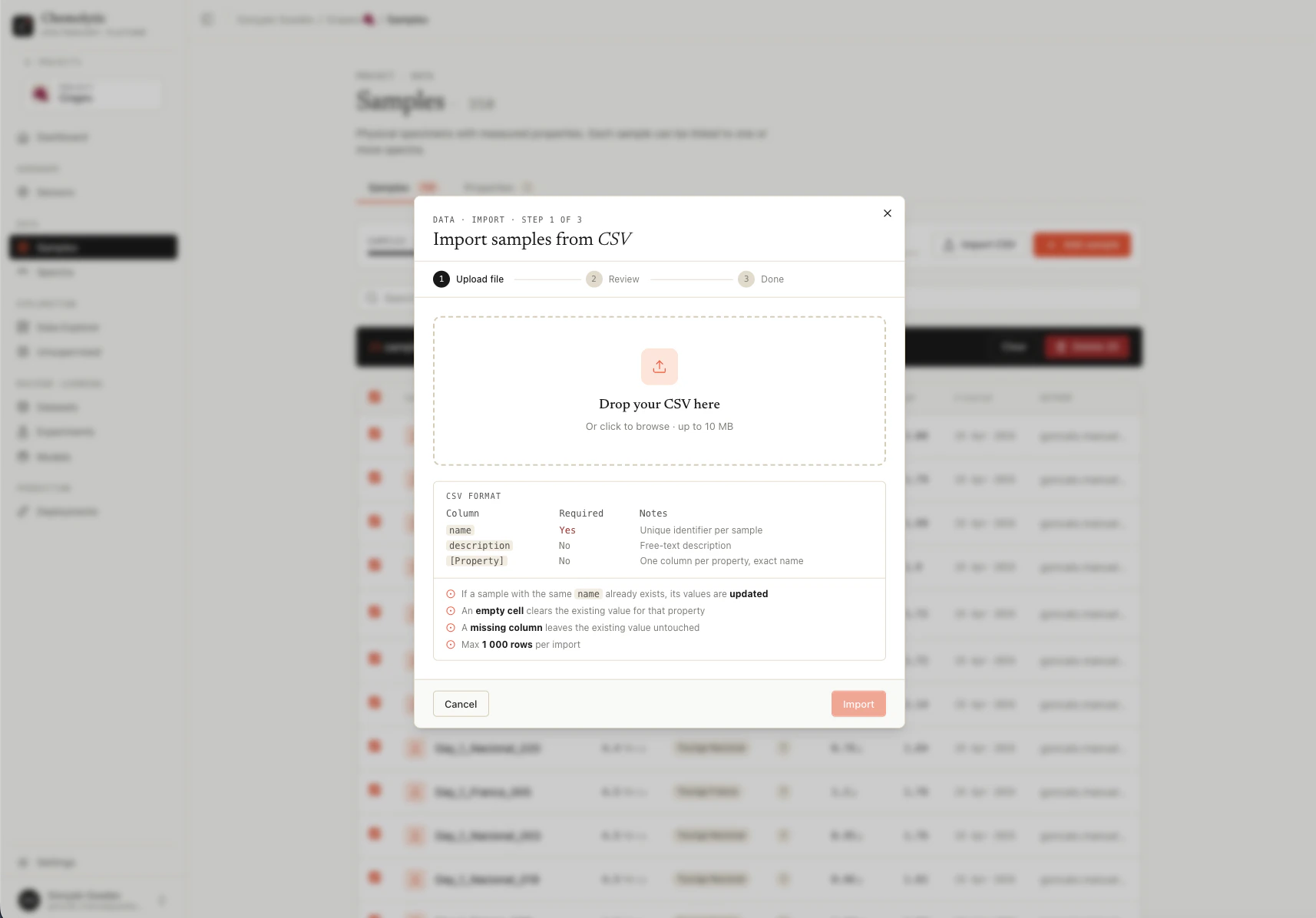
If you have many samples to add or many property values to update, importing from CSV is much faster than the manual dialog. Click Import CSV on the Samples page.
CSV import dialog showing drag-and-drop upload zone and file picker
You must define your properties first before importing. CSV columns are matched against existing property names, and unknown columns cause the import to fail.

CSV format

File requirements

RequirementValue
Format.csv only
EncodingUTF-8
Maximum rows1,000 per file
Header rowRequired

Required columns

ColumnNotes
nameThe unique sample name. Required on every row.

Optional columns

ColumnNotes
descriptionFree-text description. Replaces existing description if the sample is being updated.

Property columns

Every other column header must match the exact name of a property defined in your project (case-sensitive). The values in those columns become the sample targets.

Example

For a project with properties Brix (continuous), pH (continuous), and Variety (categorical with categories “Arabica”, “Robusta”):
name,description,Brix,pH,Variety
Sample-001,Harvest A batch,18.5,3.42,Arabica
Sample-002,Harvest B batch,19.2,3.51,Arabica
Sample-003,Test batch,21.0,3.38,Robusta
Sample-004,,17.8,,Arabica
Notes on this example:
  • Sample-004 has no description (empty cell)
  • Sample-004 has no pH value (empty cell removes any existing pH target)
  • All three samples have all required columns

Upsert behavior

CSV import is an upsert, meaning it creates new samples and updates existing ones in the same operation.

When the sample name does not exist

A new sample is created using the row’s name, description, and property values.

When the sample name already exists

The existing sample is updated:
  • Description is replaced with the new value (even if blank)
  • For each property column present in the CSV:
    • If the cell has a value, the property target is created or updated
    • If the cell is empty, the existing property target is deleted
  • Property targets for properties not in the CSV are left untouched
This is the most important rule to understand. The CSV scopes which properties are managed by which columns are present.

Examples

Scenario: Project has properties Brix, pH, Variety. Sample-001 already exists with Brix=18.5, pH=3.42, Variety=Arabica.
CSV contentResult
name,Brix\nSample-001,19.0Brix updated to 19.0. pH and Variety left as-is.
name,Brix,pH\nSample-001,19.0,Brix updated to 19.0. pH target removed (empty cell). Variety untouched.
name,Brix,pH,Variety\nSample-001,19.0,3.5,Brix updated, pH updated, Variety target removed.
name,description\nSample-001,New notesDescription replaced. All property targets untouched.
To fully reset a sample’s properties, include all property columns in the CSV with empty cells for the ones you want to clear.

Validation

The whole CSV is validated before any change is saved. If any row has any error, nothing is imported.

Empty name

Line 5: Name is required.
Every row must have a name.

Unknown column

Unknown columns: weight, color. Define them as sample properties first.
Every column other than name and description must match an existing property name. Define missing properties first, then re-import.

Invalid continuous value

Line 12 (Sample-042): Value '18,5' is not a valid number for property 'Brix'.
Continuous values must be parseable as a number. Common causes:
  • Comma instead of dot for decimals (use 18.5, not 18,5)
  • Units mixed with the value (use 18.5, not 18.5 °Bx)
  • Stray spaces or non-numeric characters

Invalid categorical value

Line 7 (Sample-007): Value 'arabica' is not in categories for 'Variety': [Arabica, Robusta].
Categorical values must match one of the property’s categories exactly. Categories are case-sensitive.

Other errors

ErrorCause
Only .csv files are accepted.The file extension is not .csv
File must be UTF-8 encoded.The file has non-UTF-8 characters (e.g., Latin-1 encoding from Excel)
CSV exceeds the maximum of 1000 rows.Split your file into chunks of 1,000 rows or fewer
CSV must have a 'name' column.The header row does not include name

Import flow

1

Click Import CSV

Opens the import dialog.
2

Choose your file

Drag and drop, or click to browse. Only .csv files are accepted.
3

Review

Chemolytic validates the file before saving anything. If errors are found, you see a list of them by line number with the exact error message. Fix the file and re-import.
4

Success

On success, you see counts: New samples (created), Updated (existing), Errors (always 0 on a successful import).
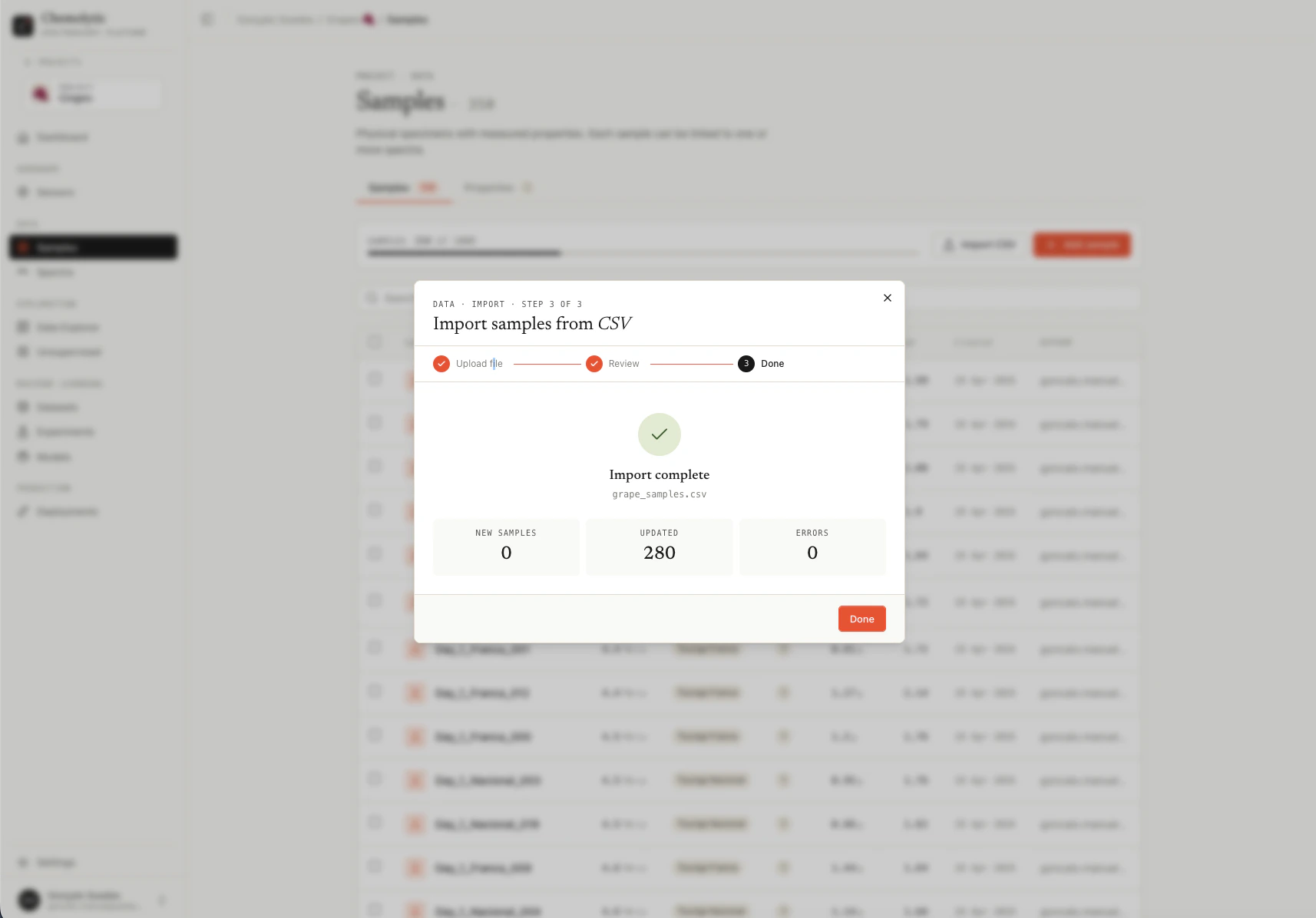
CSV import result showing created and updated counts after a successful import

Tips

Re-importing the same file is safe. Existing samples are matched by name and updated in place. Use this to iterate on your data.
Use Excel carefully. Excel can silently change number formats, encodings, and date columns. Always export as CSV UTF-8 (not “CSV” which may be Latin-1 on Windows).
Keep a master CSV file. Treat it as the source of truth for your samples. Make changes there, re-import to update Chemolytic.

Plan limits

The plan limit on samples per project is checked when importing. If your CSV would exceed the limit, the import is rejected before any change is made.