
Documentation Index

Fetch the complete documentation index at: https://docs.chemolytic.com/llms.txt

Use this file to discover all available pages before exploring further.

K-Means clustering partitions your samples into k groups based on spectral similarity. You pick k, the algorithm assigns each sample to one of the k clusters. K-Means is useful for:
  • Discovering unknown classes in your data (e.g., variety, origin, defect type)
  • Validating that an expected categorization is actually visible in spectra
  • Generating cluster labels that you can promote to a categorical property

Configuring a K-Means run

In the Configure run card on the analysis detail page, select K-Means.
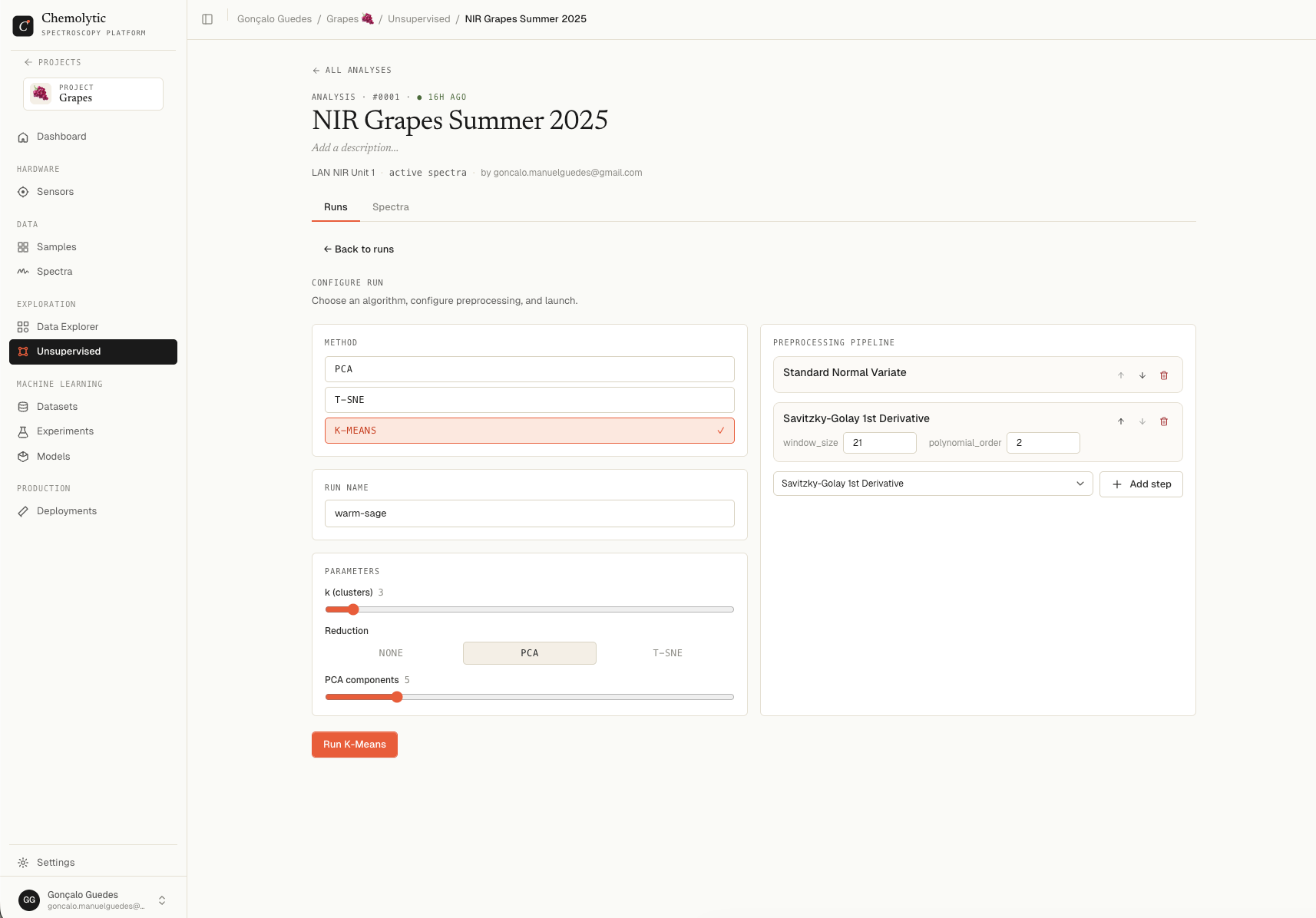
K-Means configuration showing cluster count slider and reduction method toggle

Parameters

ParameterDefaultRangeDescription
k (clusters)32 to 20Number of groups to find
ReductionNONENONE / PCA / t-SNEWhether to reduce dimensions before clustering

Choosing k

StrategyWhen to use
Domain knowledgeYou know there should be 3 grades, set k = 3
Try a rangeRun k = 2, 3, 4, 5 and compare silhouette scores
PCA hintLook at your PCA scores plot and count visible clusters
Start with k = 2 or 3. Higher values of k almost always reduce within-cluster variance (lower inertia) but the clusters become harder to interpret. The silhouette score helps you find the sweet spot.

Reduction

By default, K-Means runs on the full preprocessed spectra. You can optionally reduce dimensions first:
ReductionEffect
NONECluster on full spectra (default, most accurate)
PCACluster on the top N principal components (faster, less noisy)
t-SNECluster on the 2D t-SNE embedding (good for tight non-linear clusters)
When you select PCA, an additional PCA components slider appears (default 5). When you select t-SNE, a Perplexity slider appears (default 30).
Clustering on a t-SNE embedding can create misleading clusters. t-SNE distorts global distances so the resulting clusters may not reflect real spectral similarity. Use NONE or PCA reduction unless you have a specific reason.
Click Launch run.

Reading the results
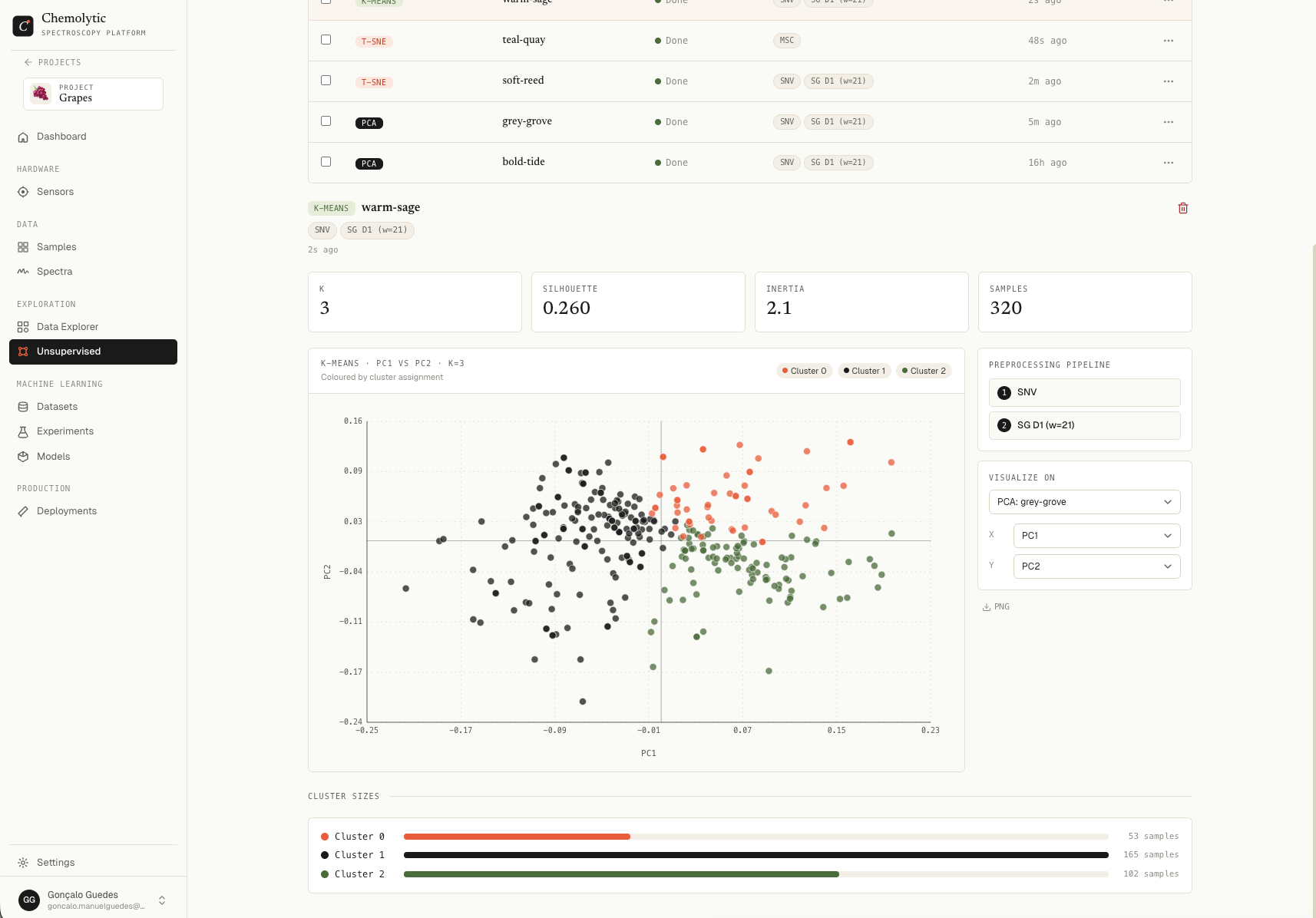
K-Means run detail showing metrics table and cluster size bar chart

Metrics table

MetricWhat it tells you
kThe number of clusters used
SilhouetteHow well-separated the clusters are. Range: -1 to +1. Higher is better.
InertiaTotal within-cluster sum of squares. Lower is better. Always decreases as k increases.
SamplesHow many samples were clustered

Silhouette interpretation

SilhouetteMeaning
0.7 to 1.0Strong cluster structure
0.5 to 0.7Reasonable structure
0.25 to 0.5Weak, overlapping clusters
Below 0.25No real cluster structure
Run K-Means with several values of k and pick the one with the highest silhouette. This is the most reliable way to find the natural number of clusters in your data.

Cluster sizes

Horizontal bar chart showing how many samples fell into each cluster. Each cluster gets a colour from the palette.
PatternMeaning
Roughly equal sizesBalanced grouping
One cluster much larger than othersThe data has one dominant group plus outliers
Many tiny clustersk is probably too high
Two of similar sizeClear binary structure (good for classification)

What to do with cluster labels

Once K-Means finds clusters that match what you expected (e.g., the silhouette is high and the cluster sizes are reasonable), you can:
  1. Validate: open each cluster and look at the original samples. Are they meaningfully similar?
  2. Promote: create a new categorical property called something like “K-Means group” with categories matching the cluster IDs, then assign each sample to its cluster
  3. Train a classifier: use the new property as the target in an Experiment to train a model that predicts cluster membership from spectra
This last step is useful when the clusters represent something physically meaningful that you didn’t have property data for originally.

Limitations

  • K must be set in advance: K-Means doesn’t find the “right” number of clusters on its own
  • Spherical assumption: K-Means assumes clusters are roughly round. Long, curved structures get cut into pieces
  • Sensitive to scale: preprocessing matters a lot. SNV or autoscale before K-Means
  • Random initialization: results can vary slightly between runs even with the same k