A project is an independent workspace for one use case: one instrument, one product, one prediction problem. Everything in Chemolytic (sensors, samples, spectra, models, deployments) lives inside a project.
Projects page
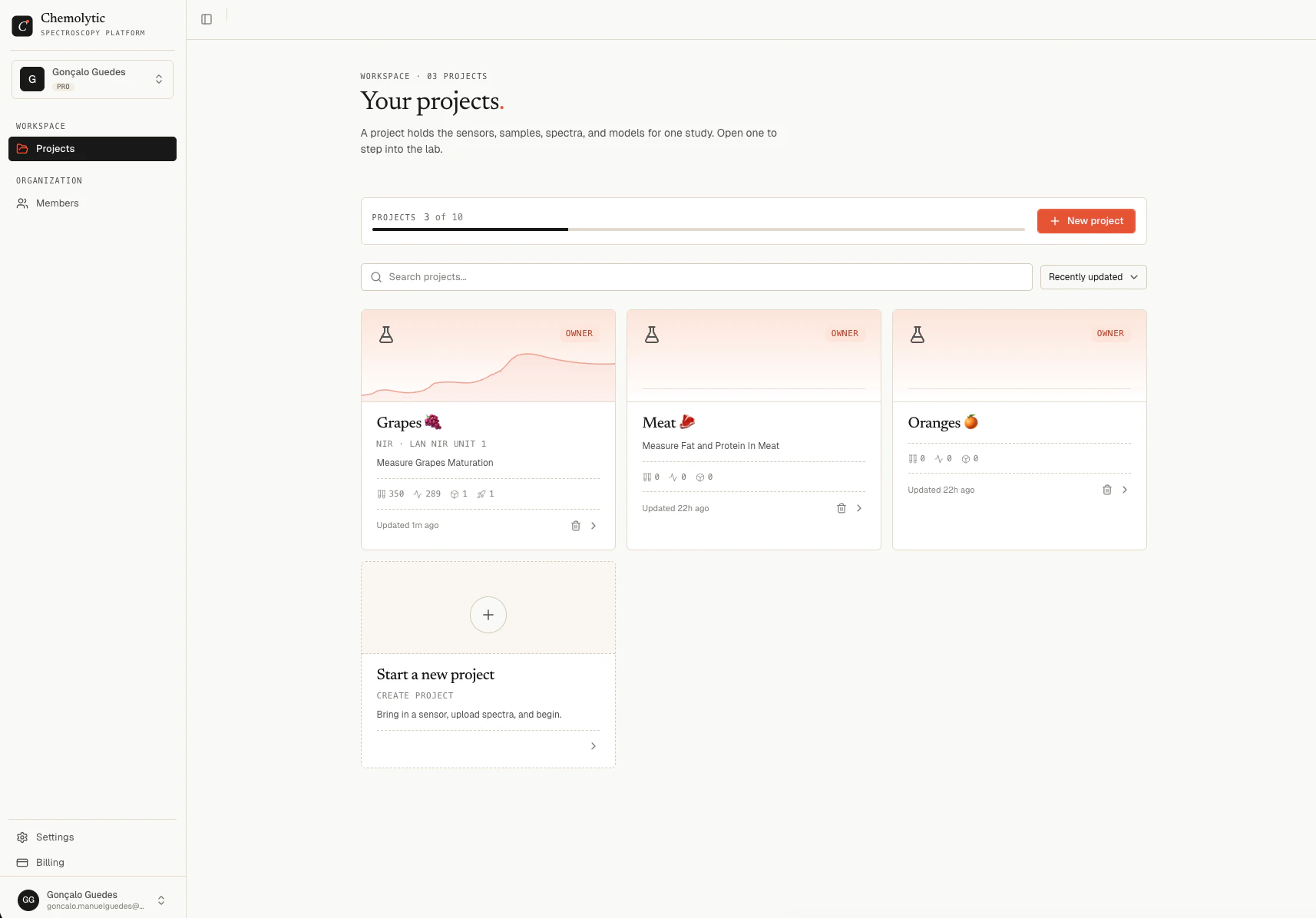
After logging in, you land on the Projects page. It shows all projects in your current organization.
Each project card shows:
- Name and description
- Sensor type and name (if configured)
- Stats: samples, spectra, models, and live deployments
- Last updated timestamp
You can search projects by name and sort by: recently updated, newest, oldest, name A-Z, or name Z-A.
Creating a project
You need to be Admin or Owner of the organization to create a project.
- Click New Project in the top right
- Enter a Name (required) and an optional Description
- Click Create
You are taken directly into the new project’s workspace.
Your plan limits how many projects you can have. Free: 1 project, Pro: 5 projects, Enterprise: 100 projects. The “New Project” button is disabled when you’ve reached the limit.
Deleting a project
Deleting a project permanently removes all its data: sensors, samples, spectra, datasets, experiments, models, and deployments. This cannot be undone.
- Open the project you want to delete
- Go to Settings in the sidebar
- Scroll to the danger zone and click Delete project
- Confirm by typing the project name
Only the project Owner or an organization Admin/Owner can delete a project.
When to use multiple projects
Use one project per prediction problem or product line. Good examples:
Keep projects focused. A project with 10 different sensors and 20 unrelated properties is harder to manage and slower to navigate.