> ## Documentation Index
> Fetch the complete documentation index at: https://docs.chemolytic.com/llms.txt
> Use this file to discover all available pages before exploring further.
# Projects
> Create and manage projects inside your organization.
A project is an independent workspace for one use case: one instrument, one product, one prediction problem. Everything in Chemolytic (sensors, samples, spectra, models, deployments) lives inside a project.
## Projects page
After logging in, you land on the **Projects** page. It shows all projects in your current organization.
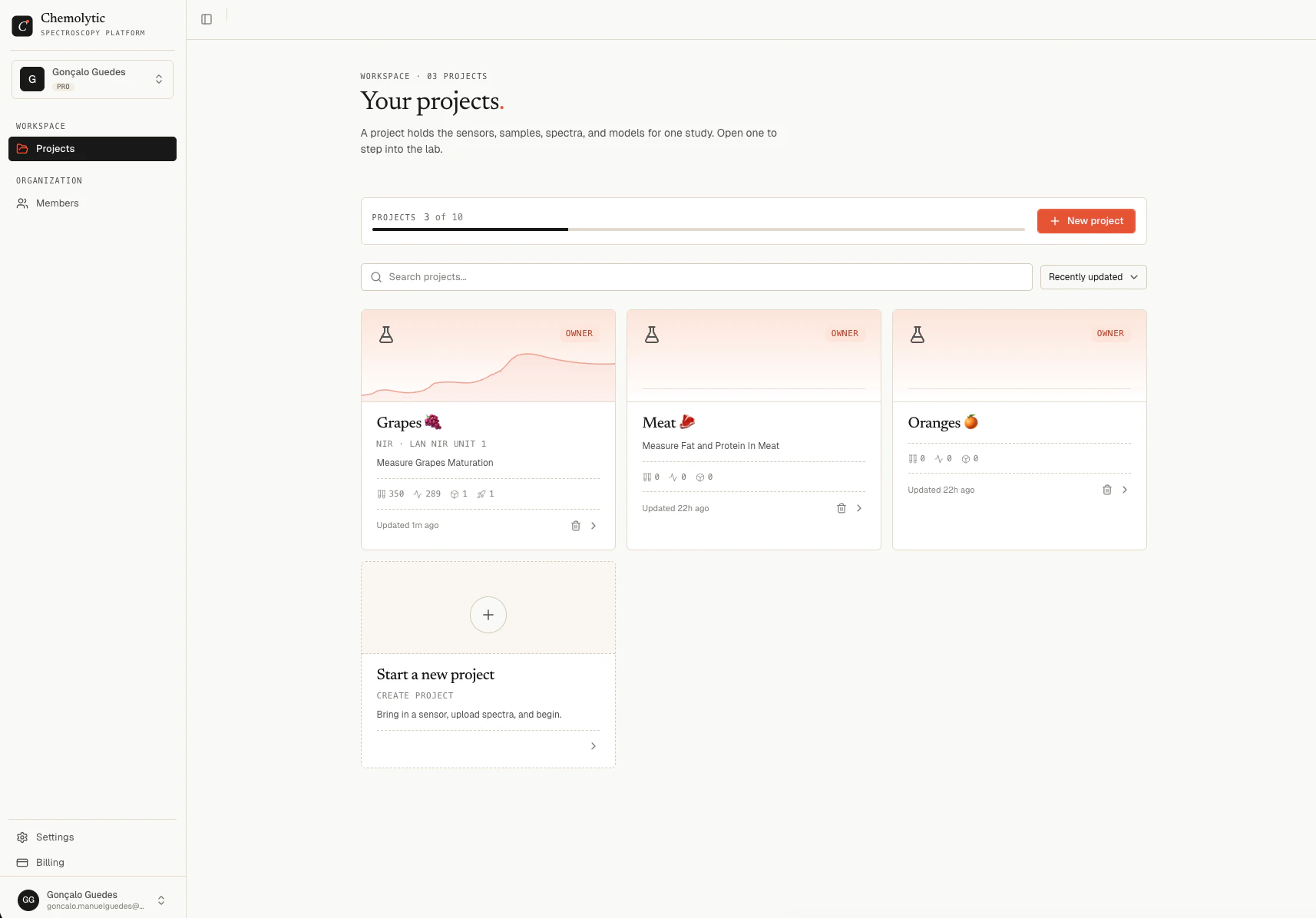 Each project card shows:
* Name and description
* Sensor type and name (if configured)
* Stats: samples, spectra, models, and live deployments
* Last updated timestamp
You can search projects by name and sort by: recently updated, newest, oldest, name A-Z, or name Z-A.
## Creating a project
You need to be **Admin** or **Owner** of the organization to create a project.
1. Click **New Project** in the top right
2. Enter a **Name** (required) and an optional **Description**
3. Click **Create**
You are taken directly into the new project's workspace.
Your plan limits how many projects you can have. Free: 1 project, Pro: 5 projects, Enterprise: 100 projects. The "New Project" button is disabled when you've reached the limit.
## Deleting a project
Deleting a project permanently removes all its data: sensors, samples, spectra, datasets, experiments, models, and deployments. This cannot be undone.
1. Open the project you want to delete
2. Go to **Settings** in the sidebar
3. Scroll to the danger zone and click **Delete project**
4. Confirm by typing the project name
Only the project **Owner** or an organization **Admin/Owner** can delete a project.
## When to use multiple projects
Use one project per prediction problem or product line. Good examples:
| Scenario | Recommendation |
| ------------------------------------------------ | ---------------------------------------------------------- |
| Two different sensors measuring the same product | One project (add both sensors to it) |
| Same sensor measuring different products | One project per product (or combine if properties overlap) |
| Production model vs R\&D exploration | Separate projects |
| Different customers or sites | Separate projects |
Keep projects focused. A project with 10 different sensors and 20 unrelated properties is harder to manage and slower to navigate.
Each project card shows:
* Name and description
* Sensor type and name (if configured)
* Stats: samples, spectra, models, and live deployments
* Last updated timestamp
You can search projects by name and sort by: recently updated, newest, oldest, name A-Z, or name Z-A.
## Creating a project
You need to be **Admin** or **Owner** of the organization to create a project.
1. Click **New Project** in the top right
2. Enter a **Name** (required) and an optional **Description**
3. Click **Create**
You are taken directly into the new project's workspace.
Your plan limits how many projects you can have. Free: 1 project, Pro: 5 projects, Enterprise: 100 projects. The "New Project" button is disabled when you've reached the limit.
## Deleting a project
Deleting a project permanently removes all its data: sensors, samples, spectra, datasets, experiments, models, and deployments. This cannot be undone.
1. Open the project you want to delete
2. Go to **Settings** in the sidebar
3. Scroll to the danger zone and click **Delete project**
4. Confirm by typing the project name
Only the project **Owner** or an organization **Admin/Owner** can delete a project.
## When to use multiple projects
Use one project per prediction problem or product line. Good examples:
| Scenario | Recommendation |
| ------------------------------------------------ | ---------------------------------------------------------- |
| Two different sensors measuring the same product | One project (add both sensors to it) |
| Same sensor measuring different products | One project per product (or combine if properties overlap) |
| Production model vs R\&D exploration | Separate projects |
| Different customers or sites | Separate projects |
Keep projects focused. A project with 10 different sensors and 20 unrelated properties is harder to manage and slower to navigate.