> ## Documentation Index
> Fetch the complete documentation index at: https://docs.chemolytic.com/llms.txt
> Use this file to discover all available pages before exploring further.
# Log in
> Sign in to your Chemolytic account.
Go to the Chemolytic app and you will be redirected to the login page automatically if you are not signed in.
## Login form
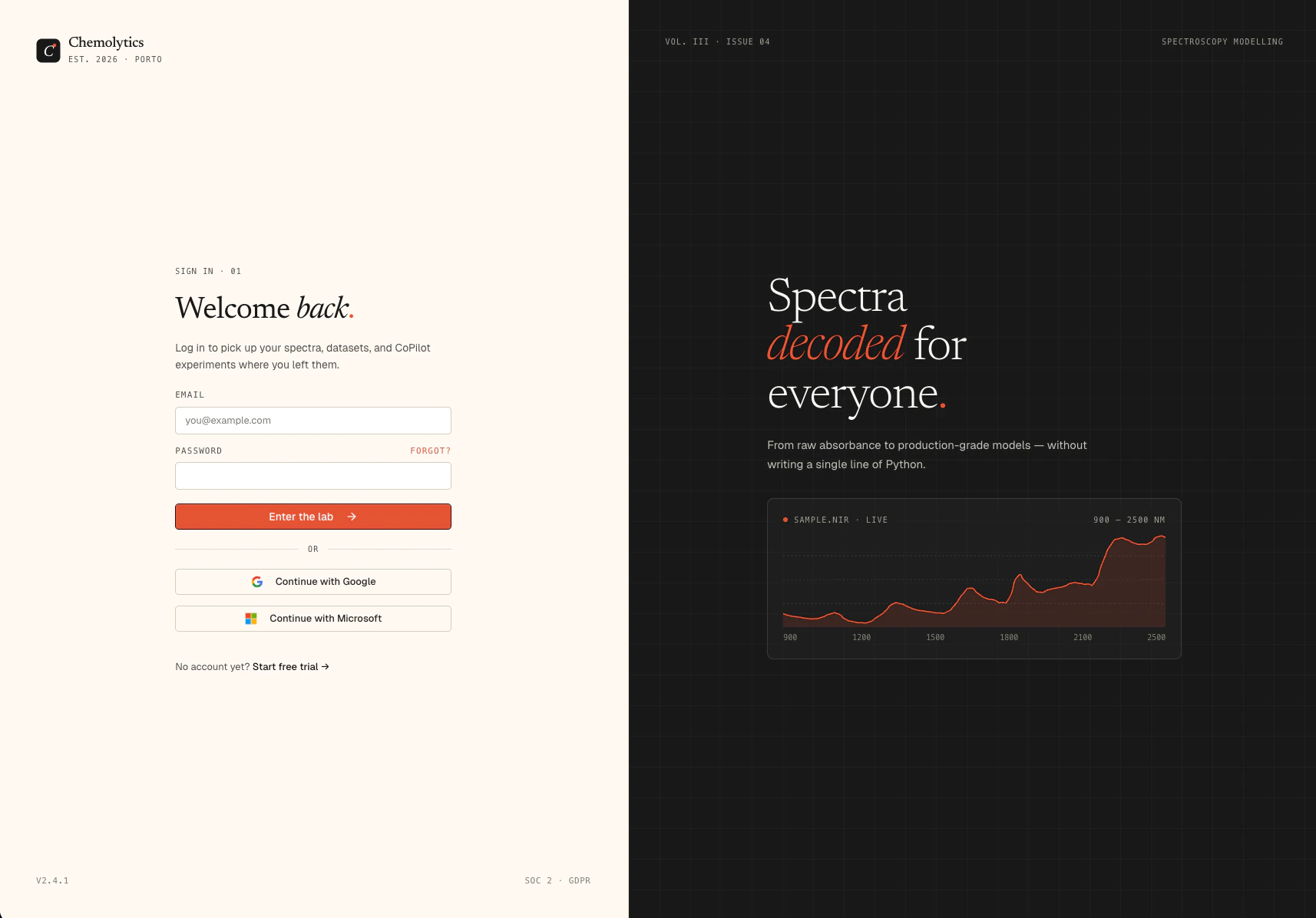 Enter your **Email** and **Password**, then click **Sign in**.
If you signed up with Google or Microsoft, use the matching social login button instead of the email/password form.
## Forgot your password?
Click **Forgot password?** below the sign in button. See [Password reset](/account/password-reset) for the full flow.
## Social login
Click **Continue with Google** or **Continue with Microsoft** to sign in using your existing account. No password needed. If this is your first time, an account will be created automatically.
## Troubleshooting
Try the social login buttons. If you signed up with Google or Microsoft, those bypass the email/password form entirely.
Use the [Forgot password?](/account/password-reset) flow to set a new one.
Check your inbox for the verification email. You cannot log in until your email is verified.
Enter your **Email** and **Password**, then click **Sign in**.
If you signed up with Google or Microsoft, use the matching social login button instead of the email/password form.
## Forgot your password?
Click **Forgot password?** below the sign in button. See [Password reset](/account/password-reset) for the full flow.
## Social login
Click **Continue with Google** or **Continue with Microsoft** to sign in using your existing account. No password needed. If this is your first time, an account will be created automatically.
## Troubleshooting
Try the social login buttons. If you signed up with Google or Microsoft, those bypass the email/password form entirely.
Use the [Forgot password?](/account/password-reset) flow to set a new one.
Check your inbox for the verification email. You cannot log in until your email is verified.